Update: Automated Helm Install, Node Automation

Rob Fletcher
Co-Founder

Here’s what’s new in DevZero: faster, safer automation across your Kubernetes fleet and real, measurable savings. You get day one, fleet wide optimization on every new cluster, durable savings from pods through nodes, and clearer visibility and migration stability, so engineers spend more time shipping and less time on setup and ops. Here’s how we’ve made that happen this cycle.
Automated Helm Installation for Operators + Policy Bootstrap + IaC Support#
One of the biggest recent improvements is the new automated Helm-based installation workflow. Every new cluster is ready to optimize with operators and policies installed automatically. You get fleet‑wide consistency and full infrastructure‑as‑code control without manual setup.
This allows teams to:#
- Automatically install read operator (zxporter) and read/write operator (dakr) across thousands of clusters
- Automatically create and attach policies on installation
- Manage DevZero workload and node policies in infrastructure as code (DevZero Terraform provider)
- Eliminate the previous manual steps that didn’t scale for ephemeral cluster environments
This was built specifically to support environments with ephemeral customers and ensuring every new cluster has the operators installed from the get-go.
Now, when a cluster comes online, operators and policies are installed without human intervention — making DevZero fully viable for high-churn, multi-cluster, short-lived environments.
Why it’s important:#
DevZero can now run in fully automated fleet environments, not just manually managed clusters, significantly reducing maintenance time.
Node-Level Automation (dzKarpenter) — Real Cost Savings Now Begin#
DevZero's new node-level automation together with the existing binpacking and workload optimization leads to a reduction in nodes. By proactively reducing nodes and live-migrating workloads, customers have seen a 60%-70% additional reduction in cost.
What’s new:#
- dzKarpenter-based node automation now actively adjusts the node layer, not just workloads.
- Node-group recommendations, instance-type adjustments, and AZ-aware scheduling logic are now integrated.
- This closes the loop between workload sizing → node provisioning → real cost reduction.
Why it’s important:#
This update gives users true end-to-end optimization, aligning workload sizing with the underlying nodes so savings actually materialize. Pods get right-sized and nodes adjust and drain automatically, delivering far greater cost reductions than workload tuning alone.
(Workload-only rightsizing improves utilization. Node automation reduces the bill.)
Other Updates#
1. Live Migration Enhancements (Karpenter + Node Grouping + AZ Awareness)#
Migrations are restart-free, safer and faster. You get predictable, AZ‑aware placement so workloads shift smoothly across nodes with no downtime.
- Expanded support for live migration workflows across AKS/EKS, including proper instance-type detection, logical Availability Zone (AZ) grouping, and updated Karpenter/AKS install flows.
- Improved fallback logic, node-type labeling, and cross-cluster selector behavior so migrations are more predictable and stable.
2. Policy Engine Improvements#
Policies are now smarter, safer, and more automated, and they serve as the foundation for both workload and node optimization pipelines with these upgrades:
- Policy constraints (min/max rules), improved scaling logic, better HPA/VPA unification.
- Bulk enable/disable of targets.
- More reliable enforcement of CPU/mem request and limit calculations.
3. Departments / Cost Allocation Revamp#
Teams see clear, dollar‑based ownership of costs, making budget decisions faster. Cleaner labeling and smarter parsing improve accuracy so reports match reality.
- Introduced and continuously updated a Departments system for cost visibility. Added dollar-based charts, improved CPU parsing, better label selector flows, and soft-delete behavior.
- Updated drawer UI and more reliable utilization calculations.
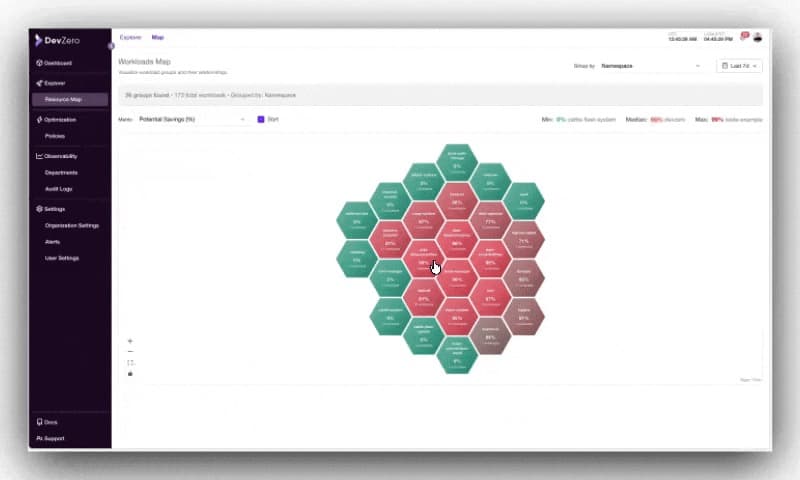
4. Resource Overview and Kubernetes Explorer Overhaul#
You can analyze your entire cross-cloud and multi-cluster Kubernetes footprint and identify areas of inefficiency with more granular filtering.
-
Fully revamped Resource Overview and Kubernetes Explorer with reworked drawers, hierarchy visualization, improved filtering, and enhanced details for nodes, workloads, and relationships.
-
Faster, more stable loading with new caching and improved backend APIs.
6. Node Analysis & Node Group Insights#
You get deeper node‑level visibility (including GPUs and pricing) to spot savings and risk. Clear charts and accurate modeling make capacity and cost patterns obvious.
- Added GPU metrics, reservation-type views, instance-type charts, and average/hour toggles.
- Improved node info retrieval, node pricing accuracy, and AZ-aware cost modeling.
- Cleaner UI with new overflow handling, layout fixes, and performance boosts.
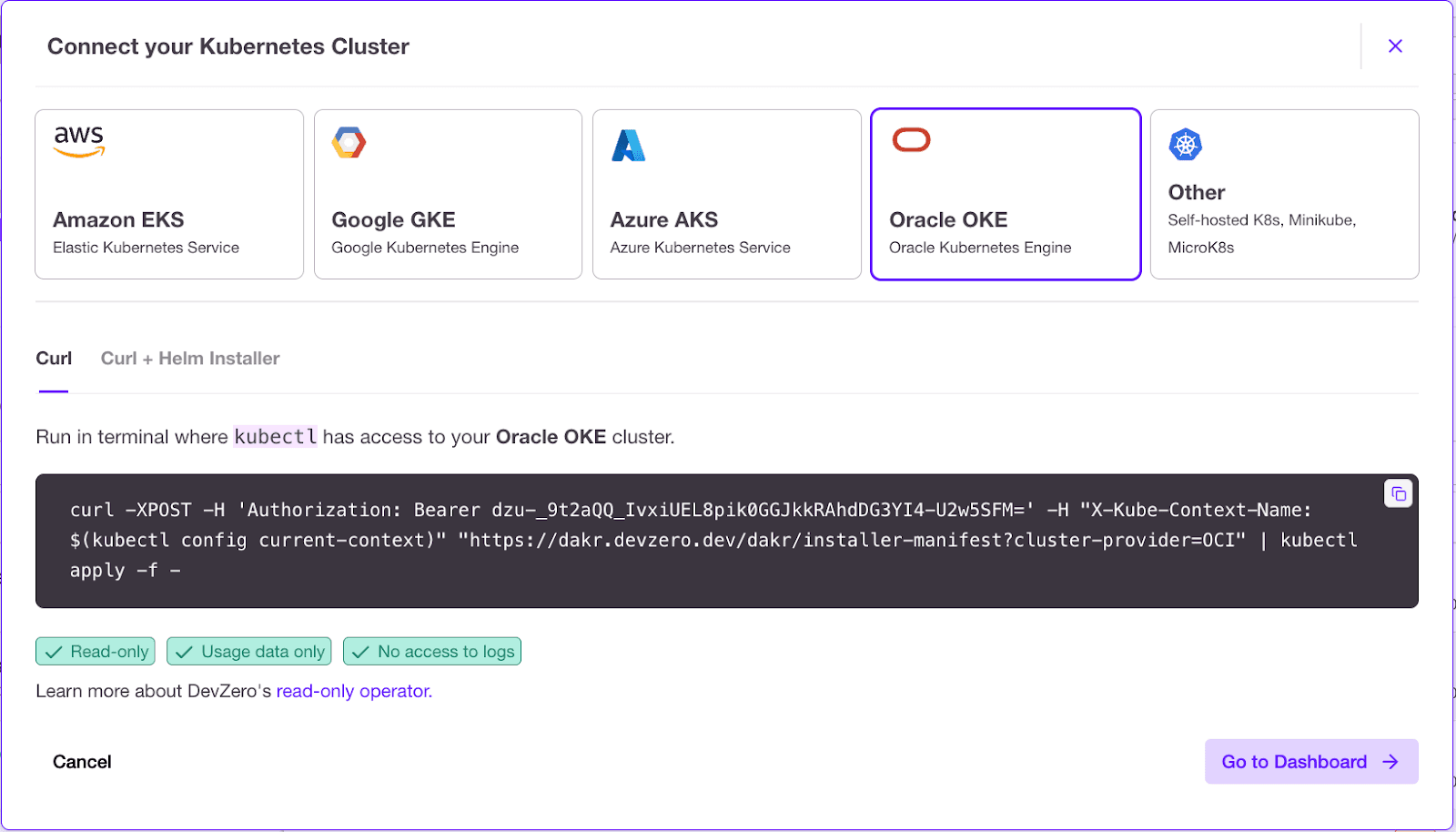
7. New Cost and Oracle Cloud support#
Forecasts and actuals are more accurate across clouds with vRAM visibility and better spot vs on‑demand modeling. Oracle Cloud Infrastructure is supported, extending optimization to more environments.
- Added vRAM charts, cost datapoints, and improved forecasting APIs
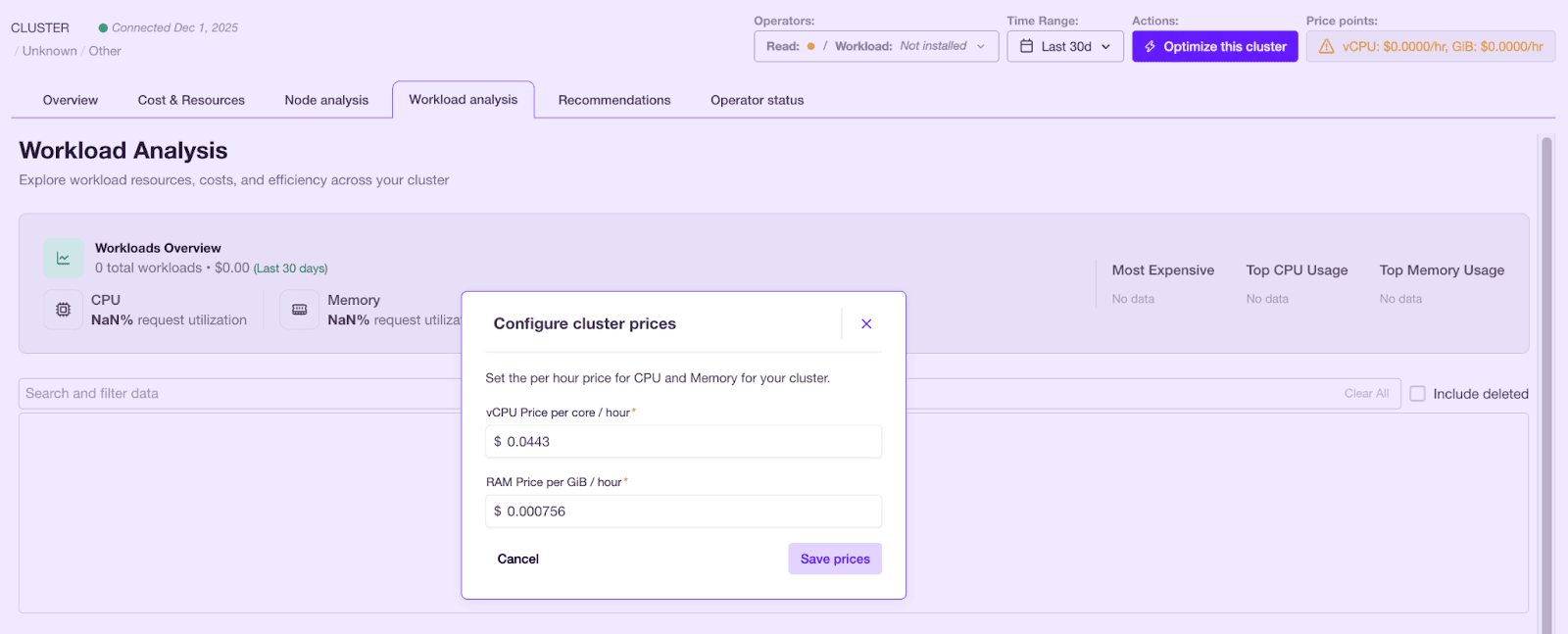
- Better per-node and per-node-group cost representation, including spot vs on-demand logic.
- Support for Oracle Cloud Infrastructure.
8. More reliable optimization during Argo Rollouts#
Users can now safely apply DevZero recommendations without interrupting or breaking rollout strategies. Under the hood, this comes from conflict-free resizing, correct blue/green state detection, improved RBAC, and safer auto-promotion handling.
9. Enhanced live migrations#
Live migrations now behave more predictably during updates or cluster changes. This stability comes from improved checkpoint/restore handling (CRIU, file locks, inotify, io_uring), cleaner snapshot logging, and stricter ownership validation.
10. Better support for enterprise-grade registry workflows#
Teams running private or restricted registries can now deploy DevZero far more easily and with fewer image-pull failures. The operator supports private registry credentials, uses a zot-based cache, and has cleaner image-tag and repo handling.
11. Improved optimization for notebook and data-science workloads#
DevZero now handles Kubeflow notebooks, RStudio sessions, and similar environments with the same optimization quality as traditional apps. This comes from added Kubeflow resizing support and new collectors tailored to notebook-style GPU workloads.
12. Reducing operator footprint#
Workload recommendations can be applied either at pod creation time or for already running workloads. Since the operator persists recommendations as CRDs inside the cluster as a fail-safe, those are now cleaned up on a cadence to minimize the stale recommendation footprint.
13. More reliable GPU metrics collection#
Users now get cleaner GPU utilization data with fewer gaps or false signals. This comes from improved scraping logic that skips non-DCGM environments, fixes exporter labeling, and limits queries to GPU containers only.

Rob Fletcher
Co-Founder


