Best Kubernetes Cost Monitoring Platforms (2026)

Debo Ray
Co-Founder, CEO

Most teams that come to me with a Kubernetes cost problem don't actually have a data problem. They have an action problem. They can watch the bill climb every month. What they can't see is which team, which app, or which forgotten staging cluster is burning the money. And on the rare occasion they can see it, the dashboard just sits there. It shows the waste. It doesn't remove it.
So here's the short version, and you're welcome to skip ahead. For full visibility plus automatic, restart-free action across any cloud, DevZero is my top pick. If you want a free, open-source place to start, OpenCost is the standard. If you care most about cost per customer and unit economics across your whole bill, CloudZero is strong. The rest of this blog shows how we got there.
Key Takeaways#
- Most Kubernetes overspend is invisible, not unknown. Clusters often run at 5–15% real utilization while you pay for 100% of the node.
- Monitoring and optimization are two different jobs. A dashboard shows you the waste. It doesn't cut it. The savings live in the gap between the two.
- Open source is the cheapest way to get visibility. OpenCost gives you allocation for free; commercial tools add governance, automation, and support on top.
- The 2026 change that matters: Kubernetes 1.35 made In-Place Pod Resize generally available, so rightsizing no longer needs a pod restart.
- Quick verdict: best overall for see-and-fix go for DevZero; for best free start OpenCost; best for unit-cost FinOps CloudZero.
What Kubernetes cost monitoring is (and why it's so hard)#
Kubernetes cost monitoring is the practice of tracking what each part of your cluster costs and turning raw usage into dollars. Good tools break that down by cluster, node, namespace, workload, and pod, and then roll it up by team, environment, or even individual customer.
The reason it's hard comes down to how the bill is built. Your cloud provider charges you for the node, the virtual machine. Kubernetes then packs dozens of small applications onto that one node. Picture a single server running fifty pods that belong to five different teams. The cloud sends you one line item for roughly $1,000, for the server.
It says nothing about the fifty apps inside. Finance opens the invoice, sees a server charge, and has no idea which team spent the money. That is the core gap, and it is well documented across the FinOps community.
Two things make it worse. Pods are temporary. One might exist for ten minutes during a traffic spike and then disappear, so a chunk of your spend comes from things that no longer exist by the time you look. And native billing tools, like AWS Cost Explorer or CloudWatch, stop at the node.
They were never built to map cost down to a pod. That is the job a real cost monitoring tool does for you.
Why Kubernetes costs keep climbing even after you "right-size"#
Here is the part you need to understand. Kubernetes has no prices. It has resource requests and limits, which are technical settings, not money. An engineer who types requests.cpu: 2000m sees a config value, not a dollar figure.
Now think about the two ways that engineers can be wrong.
- Underprovision, and the service gets throttled or crashes, and they own a 3 a.m. outage with their name on the post-mortem.
- Overprovision by 2x, and nobody notices, because that waste is quiet and shows up weeks later in a finance report no engineer reads.
So they pad the numbers "to be safe." That is not laziness. It is a rational response to the way the system rewards them. Reliability gets measured. Efficiency rarely does. As DevZero puts it bluntly, no engineer has ever been fired for overprovisioning.
A concrete shape of this: a machine-learning team reserves eight GPUs for training jobs that run twice a week. Reserving them is easier than fighting for capacity later, so the GPUs sit idle about 70% of the time. Every team does some version of this. The shared cluster fills up with reserved-but-unused capacity, and somehow everyone still complains they don't have enough.
The lesson worth carrying into the tool comparison below: visibility alone doesn't change this behavior. A dashboard that shows 60% waste is useful only if someone acts on it, and most of the time nobody does, because acting isn't their job. That is the real test for every platform here. Does it just show you the waste, or does it remove it?
What to actually evaluate in a cost monitoring platform#
We weighed eight questions while we were assessing these tools.
- How granular is the cost attribution? Can it go cluster, node, namespace, workload, pod, label, so finance can finally attach a name to that $1,000 charge?
- Does it just report, or does it act? This is the question that decides whether your bill actually moves. Even ScaleOps admits in its own guide that visibility tools can find overprovisioned workloads but cannot rightsize them, and that the gap between seeing and acting is where savings get stuck.
- How does it compute cost? List price or real billing reconciliation? Does it charge a team for the capacity it reserved but left idle? OpenCost, for example, charges the greater of a pod's request or its usage, which is the honest method that drives rightsizing.
- Does it cover network and GPU cost, not just CPU and memory? Egress is often the largest hidden line, and GPUs are the fastest-growing one. Most tools barely touch either.
- Does it work across multiple clusters, clouds, and on-prem? Or are you back to switching between three consoles?
- How risky and fast is adoption? Can you start read-only, with no changes to production, and see results in hours rather than weeks?
- What's the pricing incentive? A per-seat or per-node license earns the same whether you save money or not. A model tied to your savings does not.
- Does it fit FinOps and governance? Budgets, alerts, showback and chargeback, RBAC, and clean integration with Prometheus, Grafana, or Datadog.
9 Best Kubernetes Cost Monitoring Platforms at a Glance#
We leaned on each tool's own documentation and public pricing, plus what these tools actually do in real clusters, to score them against those eight points. Here is the summary.
| Platform | Best for | Type | Sees or acts? | Clouds | One 2026 note |
|---|---|---|---|---|---|
| DevZero | See + fix in one place | Commercial | Sees + acts (zero restart) | AWS, Azure, GCP, OCI, OpenShift, on-prem | Built for restart-free rightsizing |
| IBM Kubecost | Mature, K8s-native allocation | Commercial (free tier) | Sees + recommends | AWS, Azure, GCP, on-prem | Now inside IBM's FinOps suite |
| OpenCost | Free starting point | Open source | Sees (allocation) | AWS, Azure, GCP, on-prem | Added an MCP server for AI agents |
| CloudZero | Cost per customer / unit cost | Commercial | Sees (unit cost) | Whole cloud + SaaS bill | Strong for AI unit economics |
| CAST AI | Automated node optimization | Commercial | Sees + acts | AWS, Azure, GCP | Direct autonomous rival |
| ScaleOps | Hands-off rightsizing | Commercial | Sees + acts | AWS, Azure, GCP, on-prem | Vocal on in-place resize |
| nOps | AWS-heavy commitment FinOps | Commercial | Sees + acts | AWS-first | Karpenter-based scheduling |
| PerfectScale | Rightsizing with guardrails | Commercial | Sees + acts | AWS, Azure, GCP | Moving toward in-place resize |
| Zesty | Commitments + live scaling | Commercial | Sees + acts | AWS-first | In-place pod and disk scaling |
The 9 best Kubernetes cost monitoring platforms in 2026#
Every one of them is a real product in active use; the differences are about what job they do, not whether they work.
1. DevZero: best for visibility plus automatic, restart-free action#
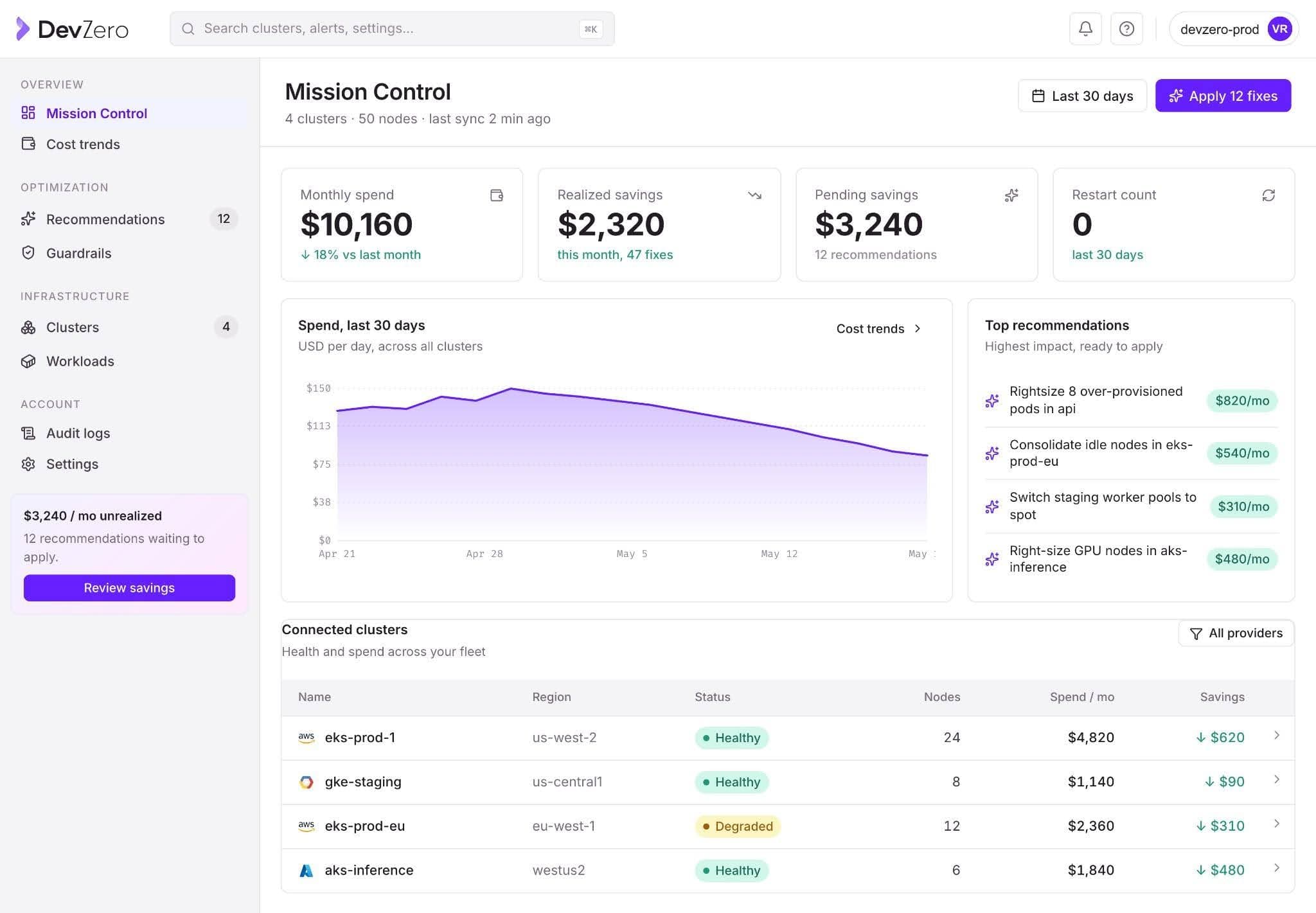
DevZero is the one tool here that both shows you the waste and removes it, on any cloud, without restarting your workloads. Monitoring is the front door. It tracks cost at the cluster, node, and workload level across AWS, GCP, Azure, OCI, OpenShift, and on-prem, with allocation groups so you can finally attribute spend to a team or a customer.
Its network cost model is unusually honest and unusually deep: it uses eBPF to trace DNS, so instead of an anonymous IP it can show you that the egress charge is traffic going to api.stripe.com. It even publishes what it does not yet measure, like NAT Gateway fees and ingress, which is rare.
Then it acts. DevZero profiles each workload and rightsizes CPU, memory, and GPU in real time, with zero restarts, using checkpoint-restore to migrate pods live.
You start read-only: the operator installs in under a minute and surfaces savings within about 24 hours, before you change a thing. And the pricing is tied to the savings it delivers, so the incentive lines up with yours.
The proof is specific. HR-tech firm Personality Pool cut cloud cost 60% in 30 days after discovering its cluster ran at 15% utilization. Fintech company Fi Money cut Kubernetes cost 67%, with 89% less overprovisioning.
Limitation: DevZero is a fully autonomous platform, so a team that genuinely only wants a read-only dashboard may find it does more than they asked for.
See your own number first. You can run a free read-only assessment in about a minute and see your real utilization before changing anything, or book a walkthrough.
2. IBM Kubecost: the mature incumbent for granular allocation#
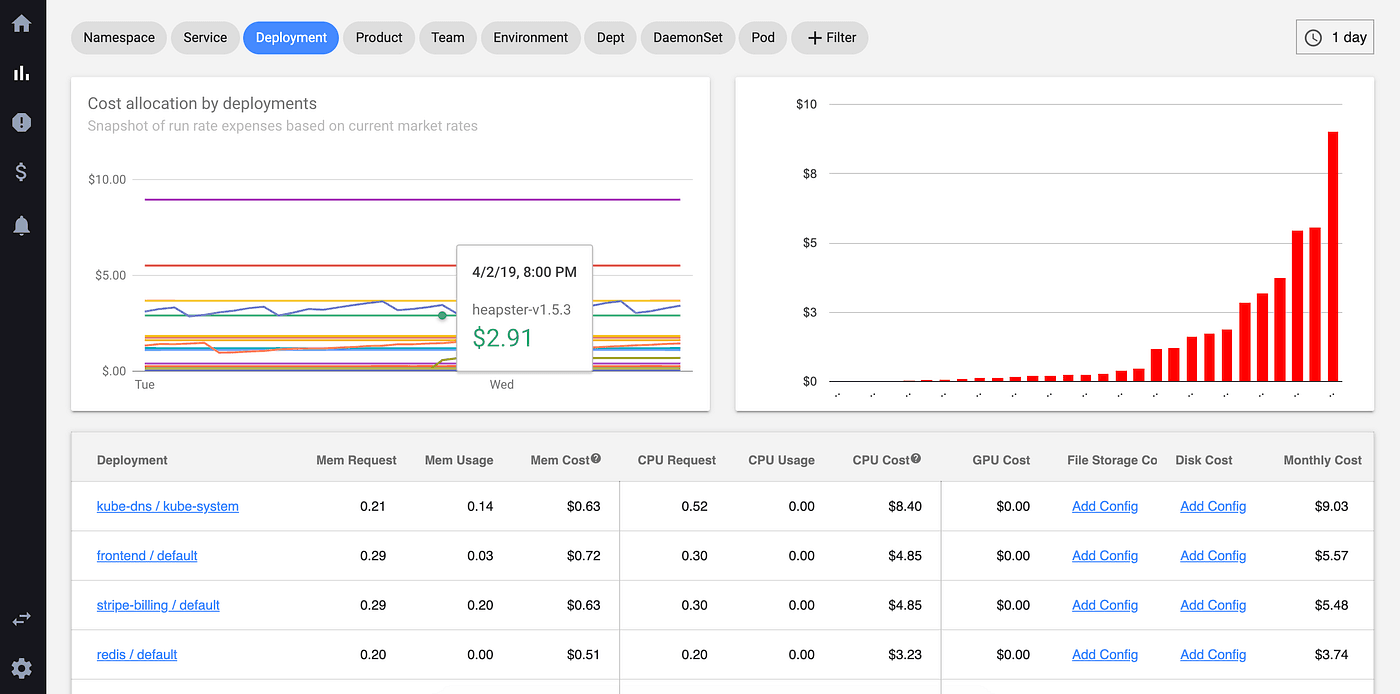
Kubecost is the tool most teams have heard of. It breaks cost down by namespace, deployment, label, and pod, adds savings recommendations, budgets, and alerts, and is built on the OpenCost engine.
It was acquired by IBM in 2024 and now sits inside IBM's wider FinOps portfolio, with users like Audi, GitLab, and Rakuten. There's a free tier and paid enterprise tiers. It's a sensible choice if you want a proven, Kubernetes-native cost tool and are comfortable self-hosting or buying support.
Two things to weigh: standard setups often keep only a short window of history unless you wire up durable storage, and some teams keep an eye on the IBM roadmap for independence. It reports and recommends well; it does not autonomously resize your running pods.
3. OpenCost: the open-source standard, and the cheapest way to start#
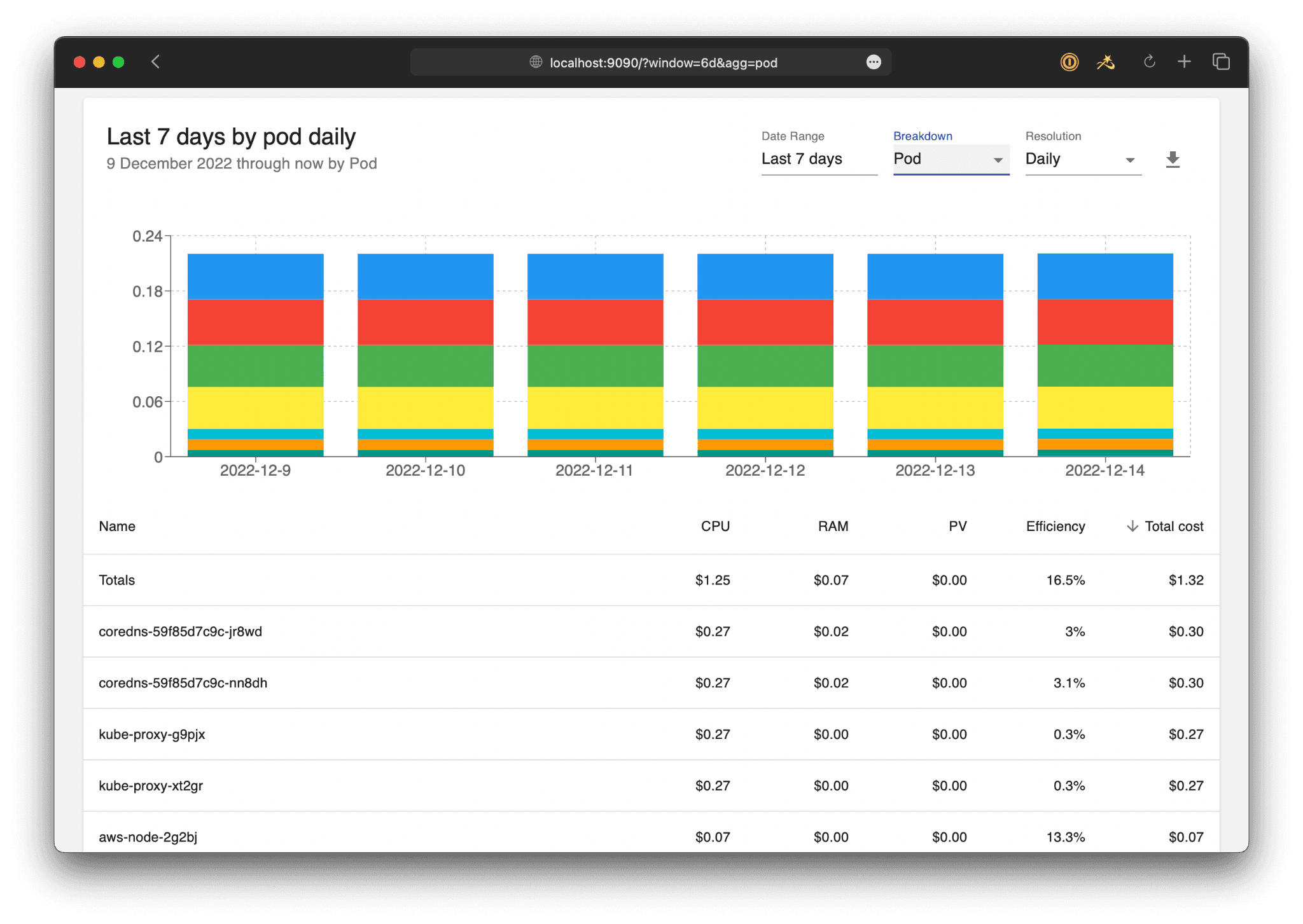
OpenCost is the free baseline, and for many teams it's the right first step.
It's a CNCF project under the Apache 2.0 license and the allocation engine that Kubecost itself is built on. It gives real-time cost allocation by cluster, node, namespace, controller, service, and pod, works across AWS, Azure, and GCP plus on-prem with custom pricing, and exports straight to Prometheus.
It now ships a kubectl-cost plugin, a REST API, carbon-cost tracking, and an MCP server for AI agents. The honest accounting I mentioned earlier is its default.
The catch is that it's an allocation engine, not a finished product. There's no built-in multi-cluster rollup, governance, or automation; you bring your own Prometheus, storage, and dashboards, and your engineers' time is the real cost.
4. CloudZero: best when you care about cost per customer#

CloudZero plays a different game from the cluster-level tools. It connects spend to business metrics, so you can answer questions like "what does it cost to serve this customer?" or "what's the margin on this feature?" across your entire cloud and SaaS bill, not just Kubernetes.
That makes it a strong fit for finance-and-engineering teams that report on unit economics and gross margin. It's a commercial platform focused on visibility and allocation.
Like the others in this group, it tells you where the money goes; it doesn't rightsize the cluster for you.
5. CAST AI: automated node optimization#
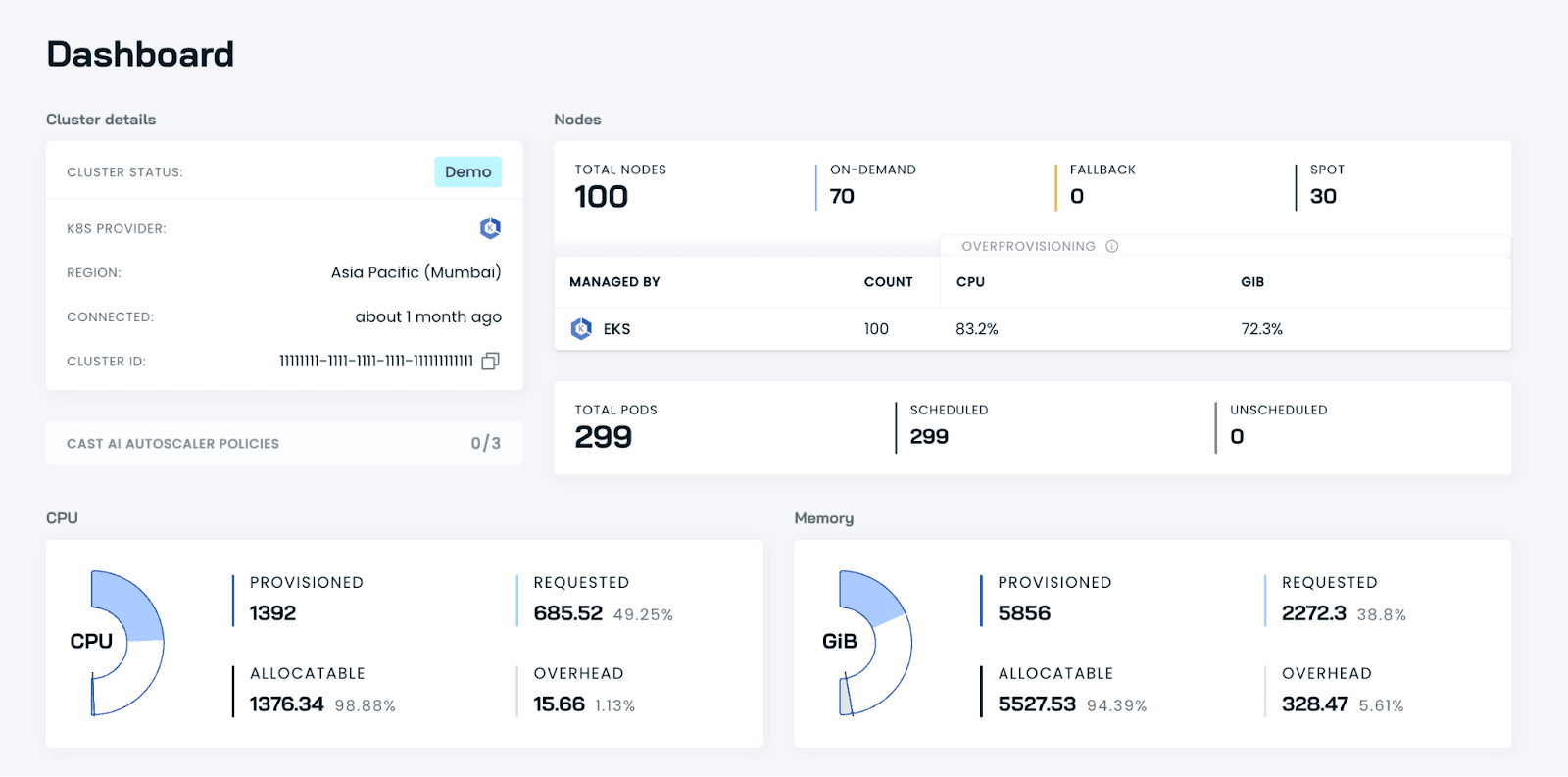
CAST AI is a direct autonomous rival. It rightsizes workloads, bin-packs nodes, and automates Spot instances, and it includes its own cost monitoring and reporting. It's a solid pick for teams that mainly want automated node optimization on a single cloud.
Because it sits in the same see-and-fix category as DevZero, the honest comparison comes down to details like restart behavior, depth of network cost visibility, and the pricing model.
We keep a side-by-side here if you want to dig in.
6. ScaleOps: hands-off rightsizing and smart placement#
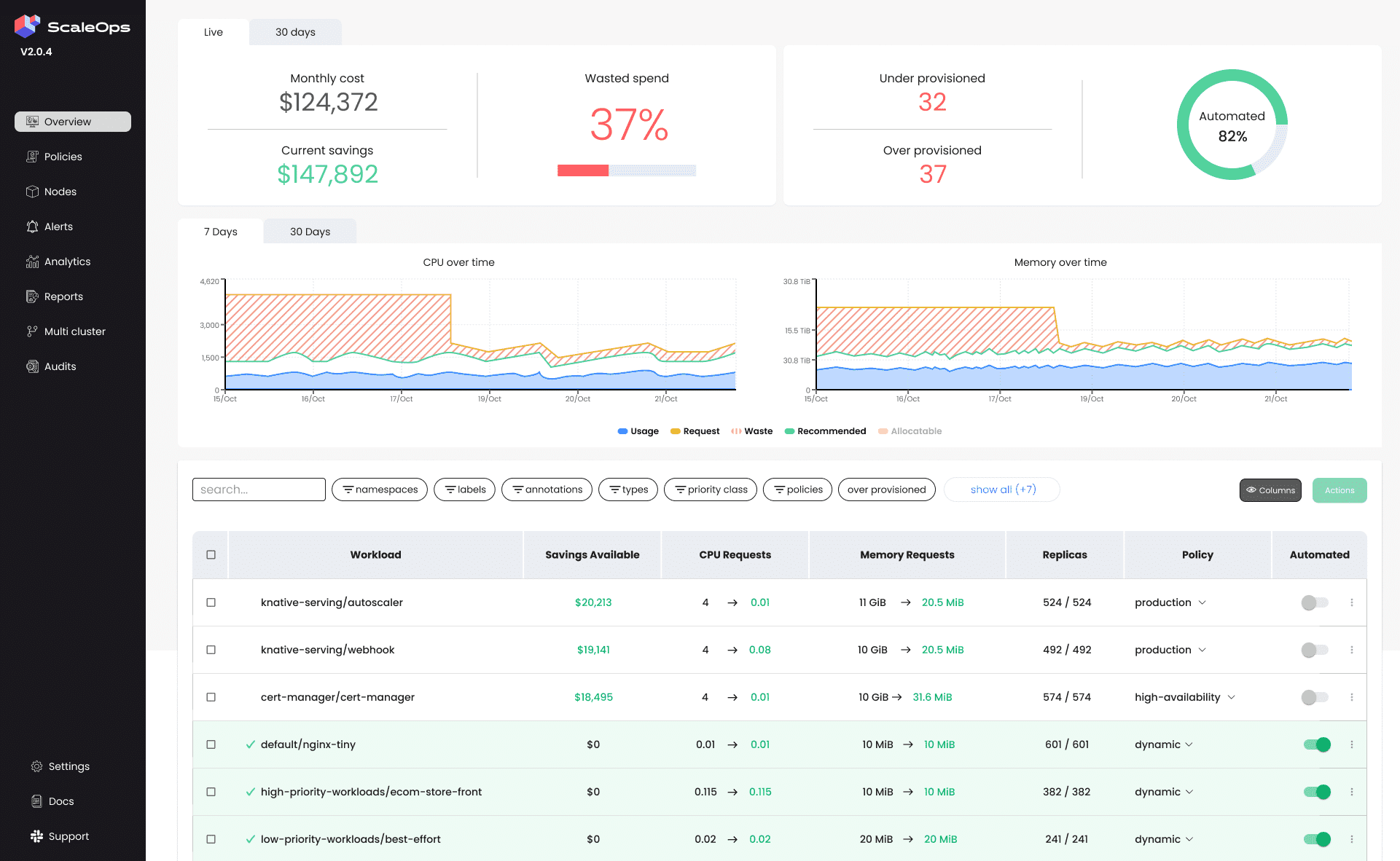
ScaleOps automates pod rightsizing and node placement, and it's refreshingly candid in public about why automation matters. Its own writing makes the point that visibility tools alert but require a human to act, which is exactly the gap this category exists to close.
It's a good fit for teams that want rightsizing to run on its own. It's focused on the optimization layer, so it isn't trying to be a full multi-cloud, unit-cost FinOps suite.
For tools focused specifically on replacing native VPA rightsizing, see our comparison of Kubernetes VPA alternatives.
7. nOps: AWS-centric commitment FinOps#
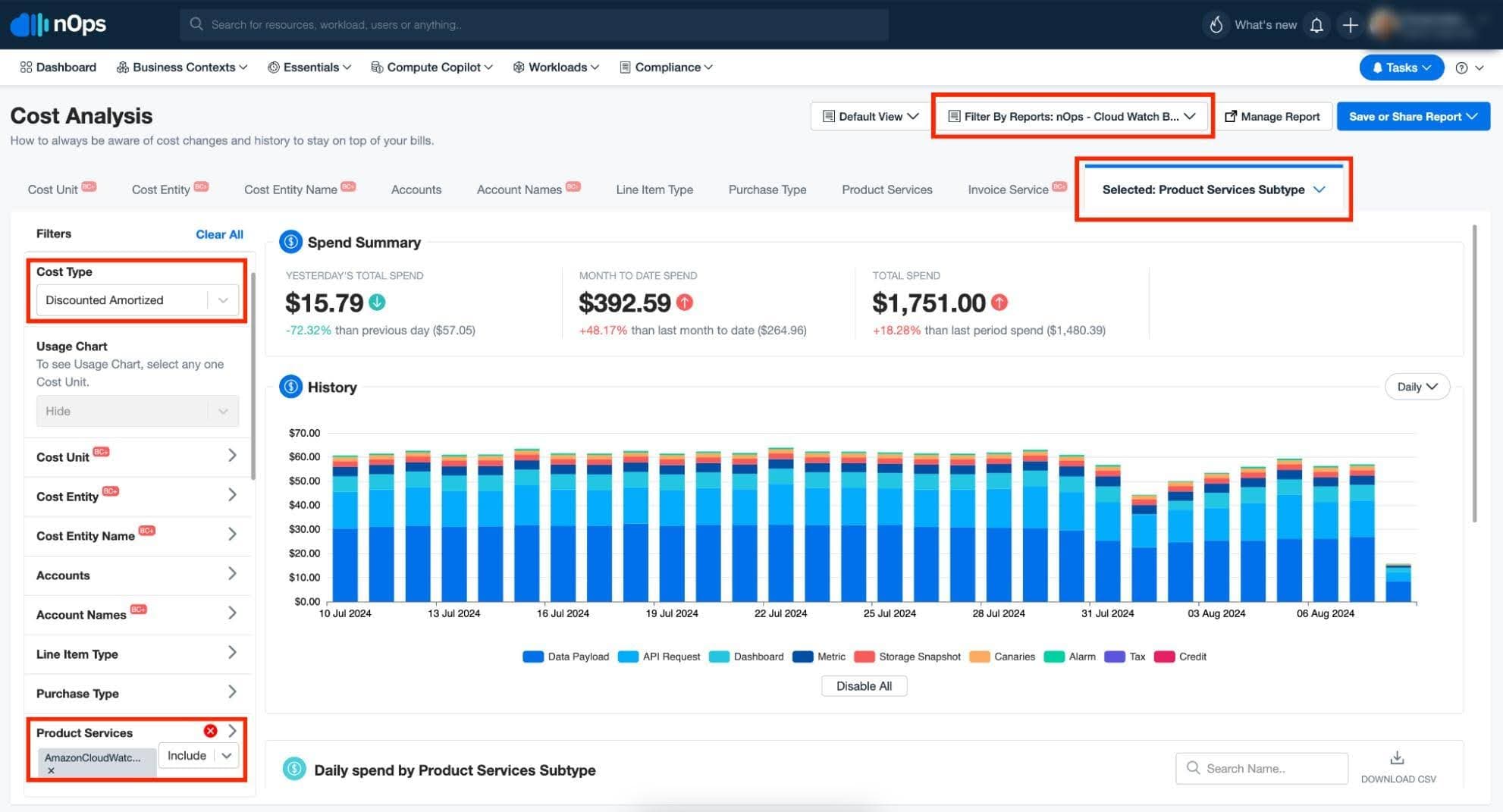
nOps is built for teams whose spend is mostly on AWS. Its strength is commitment management, handling Savings Plans, Reserved Instances, and Spot, often paired with Karpenter-based scheduling.
If you live on AWS and your biggest lever is buying capacity smartly, it fits well. The flip side is that it's AWS-first, so it's a weaker match for genuinely multi-cloud estates.
8. PerfectScale: rightsizing with reliability guardrails#
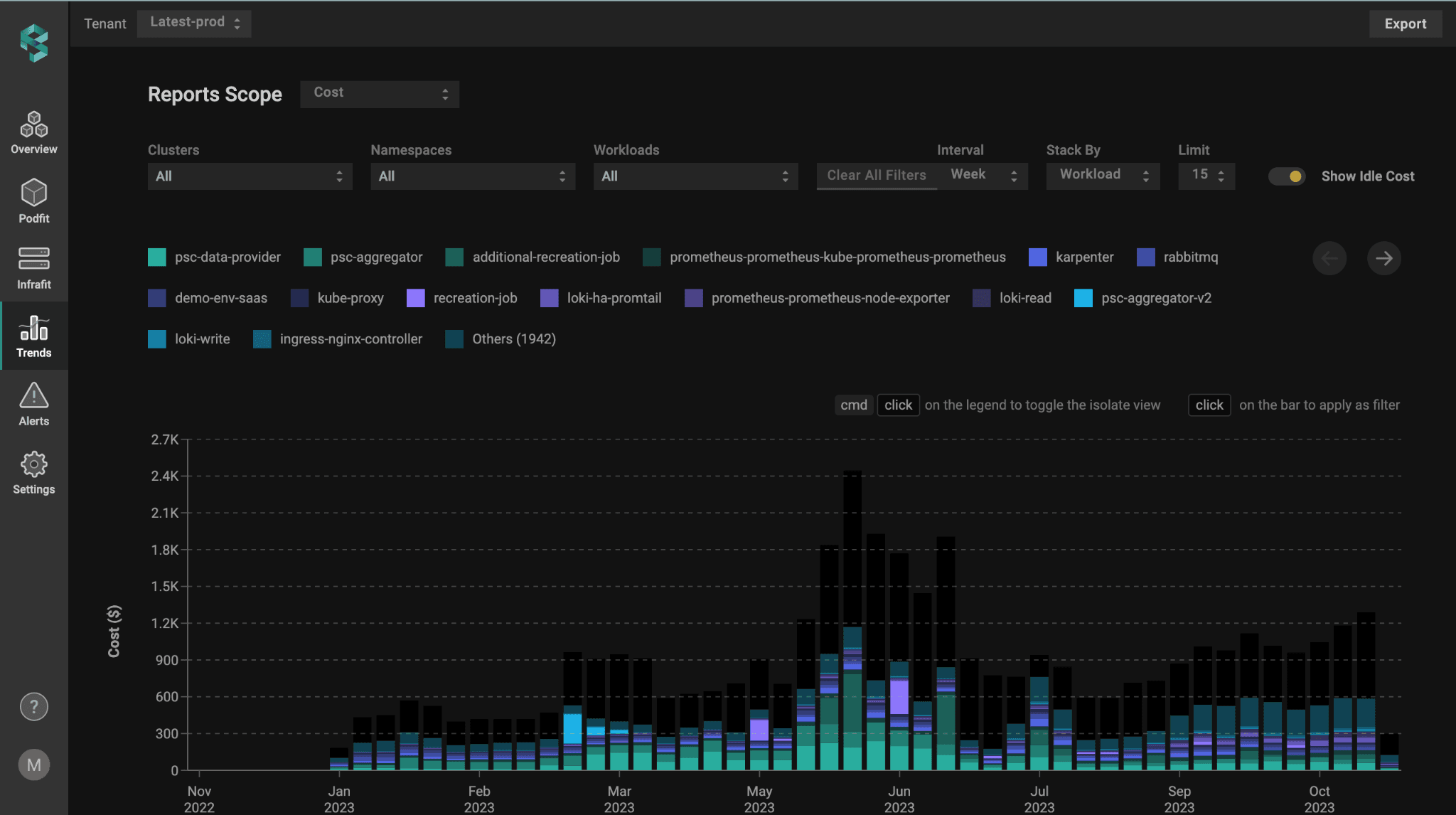
PerfectScale focuses on continuous rightsizing that keeps reliability in mind, not just cost. It's a reasonable choice for teams that want automated resource tuning with safety rails so optimization doesn't trigger throttling or out-of-memory kills.
Like ScaleOps, it lives mainly at the optimization layer rather than acting as a full cost-intelligence platform.
9. Zesty: commitments plus live scaling#
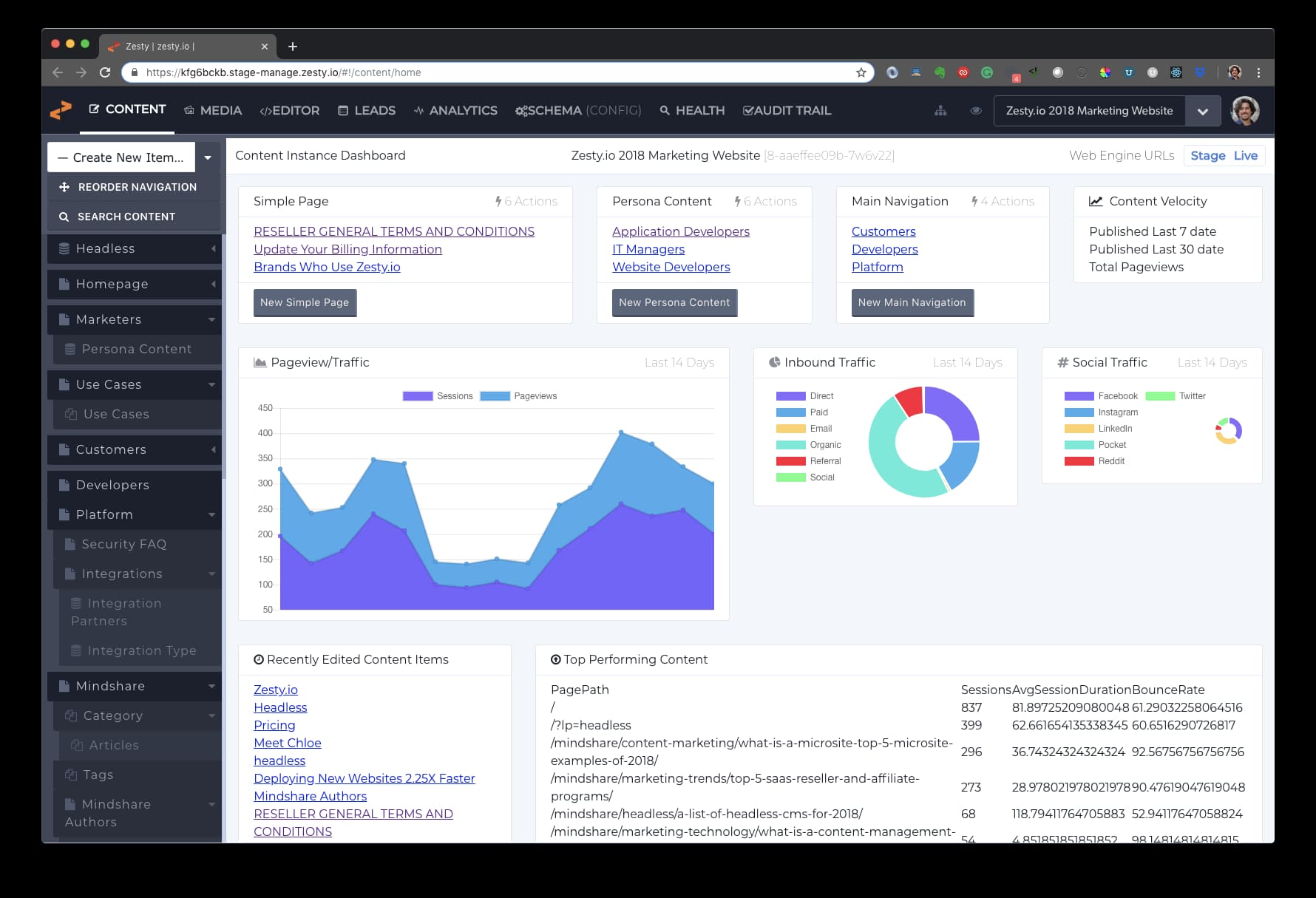
Zesty pairs automated commitment management with live Kubernetes scaling, including in-place pod scaling and disk autoscaling. It suits teams that want both the commercial-commitment side and runtime scaling from one vendor.
It's a commercial product, and its center of gravity is the automation and commitment side rather than deep cross-cloud cost reporting.
How to choose the right platform#
The honest answer is that the best tool depends on what kind of team you are. Here's a quick guide based on the patterns we see most often:
- You're small or just starting and want free. Begin with OpenCost and a Grafana dashboard. Get visibility, learn where the waste is, then decide if you need more.
- You're in a regulated or risk-averse business (fintech, healthcare, payments). Start read-only, with a tool that changes nothing in production until you trust it. Fi Money, a regulated fintech, did exactly that with DevZero's read-only operator before letting it act.
- You run multiple clouds or a mix of cloud and on-prem. Lean toward DevZero or OpenCost, since both go multi-cloud and on-prem. Pick CloudZero instead if your top question is cost per customer.
- You're GPU or AI heavy. GPUs are the fastest-growing line on the bill, so favor a tool that treats GPU and inference cost as first-class, not an afterthought.
- You're AWS-only and your lever is commitments. nOps is built for that.
- You want one tool that both sees and fixes. That narrows it to DevZero, CAST AI, ScaleOps, PerfectScale, or Zesty, and from there it comes down to restart behavior, multi-cloud reach, and how the pricing is structured.
Open source vs. commercial: Kubecost vs. OpenCost vs. the rest#
This is the comparison people search for most, so let us settle it simply. OpenCost is the free, CNCF-governed allocation engine. Kubecost is the commercial product built on top of it, adding a polished UI, savings recommendations, governance, and enterprise support. They share the same accounting roots.
The thing to understand is that "free" has a real cost. With OpenCost you run and maintain Prometheus, you pay for the storage that holds the cost data, you build the dashboards, and your engineers spend hours keeping it all working.
Commercial tools sell that time back to you, and usually add governance and, in some cases, automation.
Where does DevZero sit in this split? It gives you open-source-grade visibility plus autonomous, restart-free action. The see-only tools stop at the report. DevZero is built to close the loop, which brings us to the change that makes 2026 different.
What's changing in 2026: In-Place Pod Resize and the end of the restart tax#
For most of Kubernetes history, changing a running pod's CPU or memory meant deleting it and creating a new one.
That restart was expensive in ways that don't show up on a bill. A Java service loses its warmed-up state. A cache flushes. A database replays its log. So teams quietly avoided rightsizing the very workloads that needed it most, because the cure felt worse than the disease. Call it the restart tax.
That tax is now gone. Kubernetes 1.35, released on December 17, 2025, made In-Place Pod Resize generally available. It first appeared as alpha back in 1.27 and reached beta in 1.33. In plain terms, you can now change a running pod's CPU and memory without restarting it, and the Vertical Pod Autoscaler can finally resize live pods rather than killing them.
Why does this belong in a buyer's guide? Because the main reason to fear a tool that acts on your cluster has just been removed. ScaleOps framed the deeper point well in its release write-up: Kubernetes 1.35 hands you the building blocks but not the intelligence to drive them. That intelligence is the product. DevZero's checkpoint-restore and live migration were built for exactly this kind of restart-free change, and you can read its own breakdown of the release here.
It's time to stop watching your cluster waste money#
Visibility is the first step, and every tool in this guide gives you some of it. But the savings show up only when something acts on what the dashboard reveals, and in 2026 the biggest reason not to act, the restart, no longer applies.
If you only need to see your spending and don't mind doing the fixing by hand, OpenCost and Kubecost are solid, and CloudZero is excellent for unit economics. If you want a tool that sees the waste and removes it automatically, across any cloud, without downtime, and that only charges you when it saves you money, that's where DevZero earns its place at the top.
You don't have to take my word for the number. Run a free read-only assessment and see your own utilization in about a minute, or book a short demo. Either way, you'll finally know what you're paying for.
Frequently asked questions#
What is Kubernetes cost monitoring?#
It's the practice of tracking what your Kubernetes clusters cost and attributing that spend to the right cluster, node, namespace, workload, team, or customer. It exists because cloud bills are charged per node, while Kubernetes runs many applications from many teams on each node, which hides who spent what.
What's the difference between cost monitoring and cost optimization?#
Monitoring shows you where the money goes. Optimization changes your setup, by rightsizing workloads, consolidating nodes, and choosing cheaper capacity, so the bill actually drops. Many tools only do the first. A smaller group does both.
What's the best open-source Kubernetes cost monitoring tool?#
OpenCost is the recognized open-source standard. It's a CNCF project, it's free under Apache 2.0, and it's the allocation engine behind Kubecost. You'll need to run Prometheus and build your own dashboards.
Kubecost vs. OpenCost, which should I choose?#
Choose OpenCost if you want a free engine and have the team to run it. Choose Kubecost if you want a finished product with a UI, recommendations, governance, and support built on that same engine.
Can Kubernetes cost monitoring be automated safely?#
Yes, and it's safer in 2026 than ever. Kubernetes 1.35 made In-Place Pod Resize generally available, so automated rightsizing no longer requires a pod restart. Starting a tool in read-only mode is the low-risk way to begin.
Do these tools work across multiple clusters and clouds?#
It varies. OpenCost, Kubecost, DevZero, and CloudZero support multiple clouds and on-prem to different degrees, while tools like nOps and Zesty are AWS-first. Confirm multi-cluster rollup specifically, since some tools track each cluster but don't aggregate them.
How do I track cost per team or namespace?#
Tag your namespaces with consistent labels for team, cost-center, and environment, then use a tool that allocates by those labels. Decide early whether to charge teams by what they requested or by what they used; requests are simpler for chargeback, usage is more accurate.
How much can I actually save?#
It depends on how overprovisioned you are, and most clusters are heavily overprovisioned. Real examples include a 60% cut in 30 days and a 67% reduction once waste was made visible and then removed.

Debo Ray
Co-Founder, CEO


